
Topic: How to Check Windows license Expired or How many days remaining?
Please, open "Command Prompt" or (CMD) as Administrator / Run as Admin
To Open CMD / Command Prompt, go to search from the Windows start menu or open via "Run" option by pressing "Windows + R" button
When CMD / Command Prompt is opened as Admin, Please write the following command and hit enter to check further:-
slmgr.vbs /dlv
See the below image sample: -
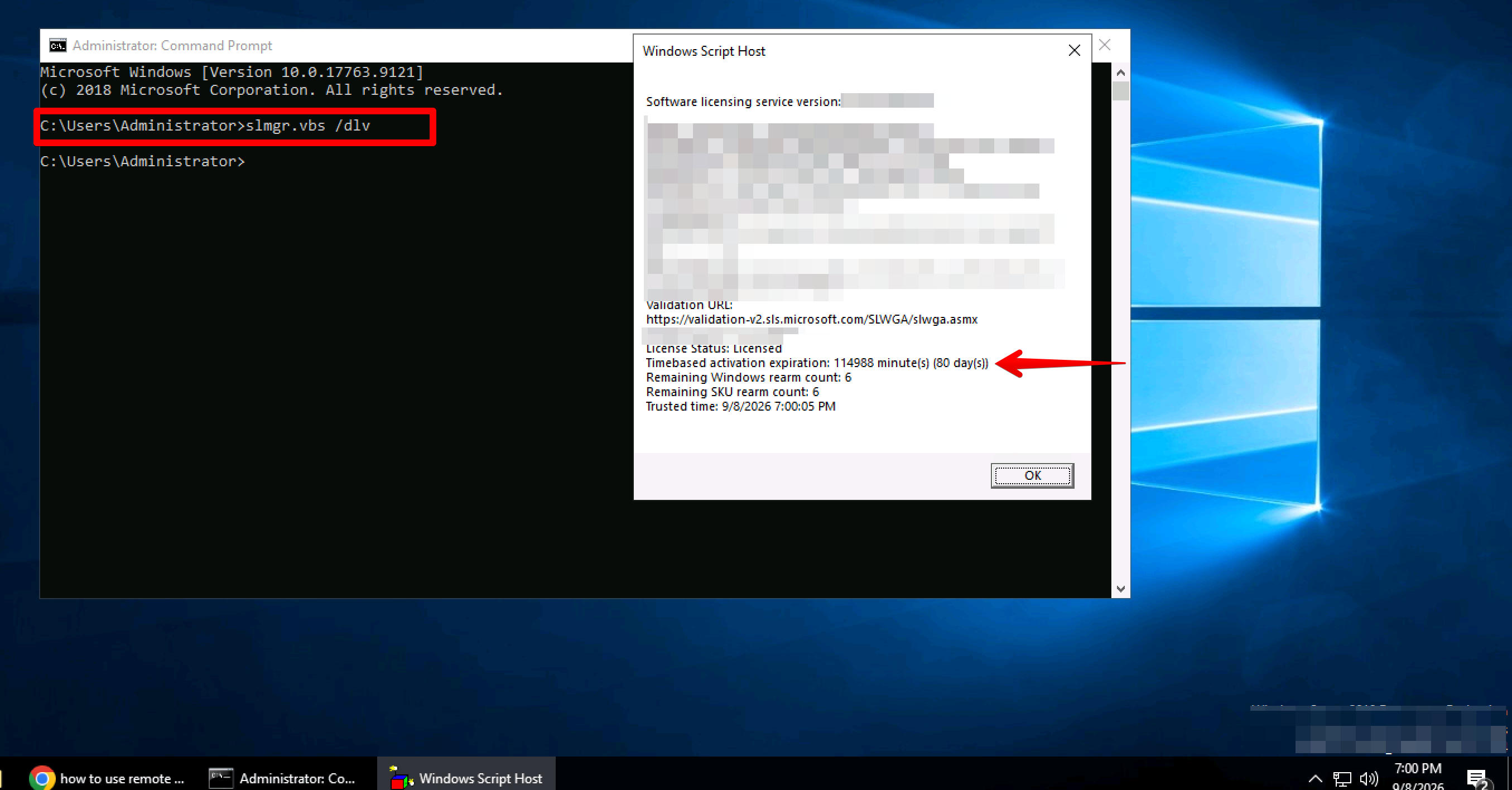
You can see from the above image that this server has 80 days remaining. So after 80 days ended, the server will be shutdown which will be handled by Microsoft itself. They will force shut down an expired licenced server.
In that case, please check the below article: -
Thanks.